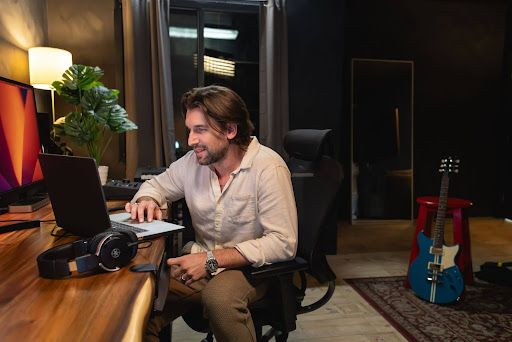
A DAW (Digital Audio Workstation) is a software used to record, create, edit, arrange, mix, process, and export audio. In modern music production, it acts as the central workspace for recorded audio, MIDI, virtual instruments, samples, and effects. DAWs are used not only for producing music, but also for podcasts, voice recording, sound design, film and game audio, and other audio-production tasks.
This guide explains what a DAW is, what it is used for, how it works, and what you need to get started.
What Does DAW Stand For?
DAW stands for Digital Audio Workstation. In practical terms, it refers to software that integrates multiple audio production functions into a single environment.
Each part of the name describes how the software is used:
- Digital: Audio is recorded, processed, edited, and stored as digital data.
- Audio: A DAW works with recorded and imported sound, including vocals, instruments, samples, and sound effects.
- Workstation: It combines multiple production tools into a single workspace, rather than requiring separate hardware for each task.
The term is broader than music production alone. A DAW can serve as a workspace for recording, editing, arranging, mixing, sound design, and other audio-production tasks.
Why Were DAWs Created?
DAWs were created to move audio production from tape and hardware-based setups to a flexible computer-based environment. They brought multiple production tasks into one workspace instead of requiring separate hardware for recording, editing, arranging, mixing, and effects.
One Workspace for Audio Production
DAWs consolidate several stages of production into a single environment, including:
- Recording: Capture vocals, instruments, dialogue, and other sounds.
- Editing: Cut, move, and correct recorded audio.
- Arranging: Organize different audio and musical parts on a timeline.
- Mixing: Balance tracks and shape their sound.
- Effects: Apply processing such as EQ, compression, reverb, and delay.
Today, a DAW can serve as the central workspace for an entire production, from the first recorded or programmed part through the final mix and exported audio.
What Is a DAW Used For?
A DAW is used to record, edit, create, arrange, mix, and export audio. It can handle recorded performances as well as MIDI, virtual instruments, samples, and effects, making it useful for many types of music and audio production.
Recording and Editing Audio
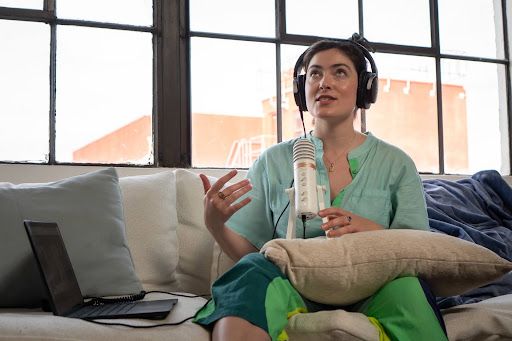
A DAW can record vocals, guitars, keyboards, drums, and other instruments as separate audio tracks. It can also capture dialogue, sound effects, and other audio sources.
Once recorded, audio can be cut, moved, duplicated, and arranged on a timeline. Producers can correct mistakes, adjust timing, and organize multiple recordings into a complete performance. Multitrack recording also allows different instruments and vocals to be edited independently.
For example, a producer might record a guitar part on one track, vocals on another, and drums on another track. They can remove unwanted sections, correct timing, and arrange the strongest takes without changing the other recordings using a DAW.
Creating Music With MIDI and Virtual Instruments
A DAW can create musical parts without requiring every sound to be recorded as live audio. MIDI stores performance information such as notes, timing, and velocity, which can control virtual or hardware instruments.
A producer can use MIDI to program:
- Drum patterns and beats
- Bass lines
- Melodies
- Chords
- Other instrument performances
Virtual instruments then turn this MIDI information into sound, covering synthesizers, sampled acoustic instruments, and drum instruments. Samples can also be triggered from MIDI to create drums, instruments, textures, and other sounds.
This means a producer can build a complete musical arrangement using MIDI and virtual instruments, even without recording every instrument individually.
Mixing, Effects, and Mastering
A DAW provides tools for shaping how different sounds work together in a mix. Users can adjust volume and panning, then use processing such as EQ, compression, reverb, and delay.
These tools serve different purposes. EQ can shape the frequency balance of a sound, while compression controls changes in level. Reverb and delay can add space and depth.
DAWs can also support sound-design workflows and the final stages of a production. After the individual tracks are edited and mixed, the finished project can be prepared for export or further mastering.
Exporting Finished Audio
When a project is complete, a DAW exports it into a usable file format, typically WAV or MP3 for listening and sharing. It can also export stems—submixes of related tracks, such as drums, vocals, or instruments—or individual tracks for collaboration.For example, a producer might export separate vocal, drum, bass, and instrumental stems when sending a project to another producer.
Creating Different Types of Audio
DAWs are not limited to making songs. They can be used to create and process many types of audio, including:
- Songs and beats
- Podcasts
- Audiobooks
- Voice recordings
- Film and TV audio
- Video-game audio
- Sound effects
- Foley
The same core workflow can therefore support both musical and non-musical productions.
How Does a DAW Work?
A DAW works by organizing audio and MIDI into a project where they can be recorded or imported, arranged, edited, processed, mixed, and exported. A basic workflow is:
Set up a project → Record, program, or import → Arrange → Edit → Mix (with effects) → Master → Export
A typical project might begin with drums, a chord progression, a melody, or another musical idea. The producer then places the material on the timeline, adds other recordings or MIDI parts, edits each element, applies effects, and balances the tracks in the mixer.
The key difference between audio and MIDI is what they contain.
Audio
Audio is recorded or imported sound. It can include vocals, guitar, drums, and sound effects. For example, a recorded guitar performance is stored as audio. You can edit its timing, length, level, and processing within the DAW.
MIDI
MIDI is performance data rather than recorded sound. It can contain information such as which notes were played, when they were played, and how strongly they were played.
A MIDI drum pattern, for example, tells a virtual drum instrument which drum sounds to trigger and when to trigger them. Changing the virtual instrument can therefore change the resulting sound without rewriting the MIDI performance.
Combining Audio and MIDI
Audio and MIDI can work together in the same DAW project. You can program MIDI drums and synthesizers, then record guitar and vocals as audio.
This combination offers more flexibility. Recorded performances can sit alongside programmed instruments and samples in the same arrangement. Software-based effects can then be applied across all of them.
What Is Included in a DAW?
A DAW typically includes the core tools needed to build and finish an audio project. These include a timeline or sequencer, audio and MIDI tracks, a mixer, MIDI editing tools, virtual instruments, effects, automation, and transport controls.
Core DAW Components
The main components of a DAW include:
- Timeline or sequencer: Organizes audio and MIDI events along a timeline so users can arrange a production.
- Audio tracks: Hold recorded or imported audio such as vocals, guitars, drums, and sound effects.
- MIDI tracks: Store MIDI information that can control virtual or hardware instruments.
- Mixer: Controls the levels and positioning of individual tracks and provides access to processing and effects.
- MIDI editor or piano roll: Allows users to create and edit MIDI notes, including their pitch, timing, and velocity.
- Virtual instruments: Generate sounds from MIDI data. These can include synthesizers, drum machines, and other software instruments.
- Plugins and effects: Add processing to a project, such as EQ, compression, reverb, and delay.
- Automation: Allows parameters such as volume or effects settings to change automatically during playback.
- Transport controls: Manage basic playback and recording functions, such as play, stop, pause, and record.
These components work together rather than functioning as separate applications.
What Are Plugins?
A plugin is additional software that runs inside a DAW. The DAW acts as the main production environment, while plugins add instruments, effects, and other capabilities.
Plugins typically fall into two categories: effects, which process existing audio (such as reverb or compression), and instruments, which generate new sounds (such as a virtual synthesizer).
Many plugins come built into a DAW, and most DAWs also support third-party plugins, which expand what the software can do.
What Do You Need to Use a DAW?
You only need a computer and DAW software to start using a DAW. An audio interface, microphone, instruments, headphones, studio monitors, and MIDI controller are optional depending on what you want to create.
Essential Equipment
The basic setup requires:
- Computer: Runs the DAW and stores project files, audio, samples, and plugins.
- DAW software: Provides the environment for recording, arranging, editing, mixing, and exporting audio.
This is enough to start learning the core production workflow and creating music with MIDI, virtual instruments, and samples.
Equipment for Recording
To record live sounds into your computer, you would need a few main equipment items:
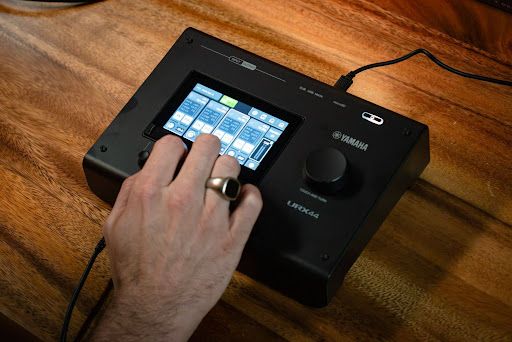
- Audio Interface: This piece of equipment connects your microphones and instruments to your computer so the DAW can receive and record the audio signals.
- Microphone: This is needed for recording vocals, acoustic instruments, dialogue, or any other sound source in the room.
- Instruments: Instruments with an electrical output, such as an electric guitar, bass, or synthesizer, can be plugged directly into the interface when you want to record their audio output.
Optional Equipment
You can add other equipment as your workflow develops. Common options include:
- Headphones: Useful for monitoring recordings and working in environments where speakers are not practical.
- Studio monitors: Speakers designed for monitoring audio during production and mixing.
- MIDI controller: Provides a physical way to play or control MIDI instruments.
You do not need a complete studio setup to start making music in a DAW.
What Are Some Popular DAWs?
Popular DAWs include Cubase, Ableton Live, Pro Tools, Logic Pro, FL Studio, Fender Studio Pro, REAPER, and GarageBand. They offer different workflows, interfaces, built-in tools, operating-system support, and plugin compatibility.
| DAW | Common Use | Platform | Notable Strength |
|---|---|---|---|
| Cubase | Music production, recording, audio editing | Windows, macOS | Strong MIDI, arranging, and recording workflow |
| Ableton Live | Electronic music, beat-making, live performance | Windows, macOS | Session View and performance-focused workflow |
| Avid Pro Tools | Recording, mixing, professional audio production | Windows, macOS | Established recording and mixing workflow |
| Apple Logic Pro | Music production, songwriting, recording | macOS, iPadOS | Integrated instruments, effects, and production tools |
| FL Studio | Beat-making, electronic music, music production | Windows, macOS | Pattern-based workflow and sequencing |
| Fender Studio Pro | Music production, recording, mixing | Windows, macOS | Integrated songwriting, production, and mixing workflow |
| REAPER | Recording, editing, mixing, music production | Windows, macOS, Linux | Flexible customization and lightweight workflow |
| GarageBand | Beginner music production and recording | macOS, iOS/iPadOS | Simple interface and accessible music-making tools |
No single DAW is objectively "the best". The right one depends on how you like to work and what you're trying to create.
For creators who want a curated starting point, Yamaha Creator Pass gives Growth and Pro subscribers access to DAWs like Ableton Live 12 Lite on annual plans and Cubase 15 AI (on monthly and annual plans), alongside samples, mastering, and learning resources, so you're not left comparing every option from scratch.
How Do You Choose a DAW?Choose a DAW based on what you want to produce, your experience level, computer operating system, budget, preferred workflow, included instruments and effects, plugin support, and hardware compatibility.
Consider these factors before choosing:- Production goals: Decide whether the main focus is songwriting, electronic music, recording, sound design, podcasts, or another type of audio.
- Experience level: A straightforward interface can be useful when learning production fundamentals.
- Operating system: Check whether the DAW supports the OS you use.
- Budget: Consider the purchase price or subscription cost and what is included.
- Workflow: Explore how the DAW handles recording, arrangement, MIDI, editing, and mixing.
- Included tools: Compare the instruments, samples, and effects included with the software.
- Plugin support: Check whether the DAW supports the plugins you plan to use.
- Hardware compatibility: Make sure your audio interface, MIDI controller, and other equipment work with the DAW.
Rather than choosing a DAW based only on popularity, consider how its workflow fits the way you want to create.
DAW vs. Audio Editor: What's the Difference?
A DAW is designed for complete audio production, while an audio editor primarily focuses on manipulating and processing individual audio files.
An audio editor can be useful for tasks such as trimming, processing, or converting an audio file. A DAW goes further by combining multiple tracks, MIDI, virtual instruments, effects, arrangement tools, mixing, and export functions in one project.
Ready to Start Producing?
Picking a DAW is just the first step; turning it into finished, released music is the part that actually takes support. Yamaha Creator Pass brings a professional DAW together with samples, mastering, distribution, and guided learning, giving creators resources to support the journey from first idea to release.
Start your Yamaha Creator Pass free trial today.
FAQs
Is a DAW the Same as Music Production Software?
A DAW is a type of music production software, but the terms are not always interchangeable. A DAW specifically refers to software that provides an integrated environment for recording, creating, editing, arranging, mixing, and exporting audio.
Can I Use a DAW Without an Audio Interface?
Yes. You can record without a separate interface using a smartphone, your computer's built-in microphone, or a USB microphone. An interface is often preferable, though. It offers more flexibility and better audio quality, reduces latency, and lets you connect studio monitors or high-quality headphones.
Can I Make Music in a DAW Without Playing an Instrument?
Yes. MIDI and virtual instruments allow you to create melodies, chords, bass lines, drum patterns, and other musical parts without physically playing an instrument. MIDI notes can be entered and edited inside the DAW and then used to control virtual instruments.
Are Free DAWs Good for Beginners?
A free DAW can be useful for learning core production workflows such as arranging, editing, MIDI sequencing, and mixing. The important consideration is whether its available tools support the type of production you want to learn.
Can I Use Plugins With Any DAW?
Not always. Many plugins work across several DAWs, since most support the same common plugin formats. Compatibility still depends on your DAW, your operating system, and the formats it supports, so check before installing.