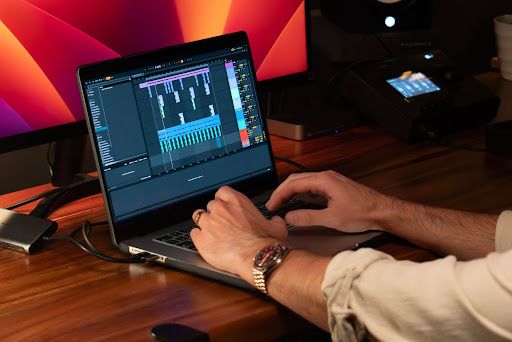
Mixing a song means balancing volume, EQ, dynamics, and space between every element in a track until they sit together as one cohesive song. It typically starts with a rough volume balance, then moves through EQ, compression, spatial effects, and automation before a final listen-back.
This guide walks through how to mix a song from scratch, covering the steps and tools involved at each stage.
How to Mix a Song: Step-by-Step
The process comes down to one repeating loop: listen, identify what needs attention, apply the right processing, then listen again. Each step below builds on the last, starting with a basic volume balance.
There's no single correct order for every mix, but this workflow gives you a practical starting point you can adjust as you gain experience.
1. Build the Balance with Volume and Panning
Start mixing with faders and pan controls, not plugins. Setting a basic volume balance before adding any processing gives you a clear picture of what the song actually needs.
Bring up your most important element first, often the lead vocal or the main instrument, and build the rest of the mix around it. Adjust the volume of drums, bass, and other elements until each one sits at a level that makes sense next to the others.
Panning works alongside volume here. Placing elements across the stereo field, like guitars slightly left and right of center, can create separation before you touch a single EQ or compressor.
At this stage, the goal isn't perfection. It's a mix that already sounds reasonably balanced, even before any processing is added.
2. Use EQ to Fix Frequency Problems
EQ in a mix is there to solve a problem you can actually hear, not to be applied out of habit.
If two elements are competing for the same frequency range, like a kick drum and a bass guitar both filling out the low end, EQ can carve space for each one so they don't clash.
A high-pass filter is one of the simplest ways to clean up a mix. Rolling off unnecessary low end from tracks that don't need it, like vocals or hi-hats, often clears up mud without touching a single band of EQ.
Harshness usually points to a narrow band of frequencies that need to come down, rather than an entire track needing less top end. Listen for the specific problem first, then reach for EQ to address it.
3. Use Compression to Control Dynamics
Compression comes in once a track's level is inconsistent from moment to moment, evening things out so a performance sits more predictably in the mix.
A vocal that jumps unpredictably in volume, or a bass line with uneven note-to-note level, are common reasons to compress a track.
Four settings do most of the work. Threshold decides the level at which the compressor starts working. Ratio decides how strongly it reacts once that level is crossed. Attack decides how quickly it starts working. Release decides how quickly it lets go.
There's no universal setting that works for every track. A snare that needs its transient preserved calls for a slower attack, while a bass line that needs taming benefits from a faster one. Let the specific problem guide the settings, not a preset.
4. Create Space with Panning, Reverb, and Delay
Once the balance and dynamics are under control, reverb, delay, and panning give the mix depth, placing elements at different distances instead of stacking them all at the same volume.
Reverb can push an element further back in the mix, while a drier, closer sound feels like it's right up front. Delay adds a sense of space and rhythm without the wash of a long reverb tail.
Beyond the basic left-right placement from earlier, this step is about depth. Two vocals panned to the same spot can still feel separated if one has more reverb and sits further back.
It's worth checking your mix in mono at this stage. Elements that sound wide and spacious in stereo can partially cancel out in mono, which points to phase problems that are easy to miss otherwise.
5. Use Bus Processing and Saturation When Needed
Bus processing and saturation are optional. Both can shape how groups of tracks sit together and how the mix feels tonally, but neither is a required step.
Grouping related tracks, like all the drums or all the background vocals, onto a bus lets you apply one piece of processing to the whole group instead of adjusting each track individually. Light compression on a drum bus can help the kit feel more like one cohesive instrument.
Saturation adds harmonic character rather than volume control. It can make a bass line feel warmer or a vocal feel slightly grittier, depending on how much is used.
Neither of these is required for every mix. If the song already sounds cohesive without them, there's no need to add processing just because it's available.
6. Automate the Mix
Automation comes in wherever a static balance can't keep up with a song that changes over time.
A vocal that's slightly buried in the chorus but sits fine in the verse is a common reason to automate. Riding the vocal level up a couple of decibels for a few bars solves the problem without recompressing the whole track.
Automation also supports transitions, like bringing a riser's volume up heading into a chorus, or pulling an instrument out entirely during a breakdown.
At this stage, keep the focus on volume and balance. Automating the energy of a song this way often does more for how it feels than any single plugin.
7. Add Creative Effects Where They Serve the Song
Creative effects, like modulation, delay throws, or distortion used for character, are there to support a moment in the song, not to fill space.
A chorus effect on a guitar, a filtered delay throw before a drop, or distortion pushed hard enough to change a sound's character all fall into this category. Unlike the reverb and delay used for depth earlier, these effects are meant to be noticeable.
The test for whether a creative effect belongs is simple: does it support a specific moment in the song? An effect used because it sounds interesting in isolation doesn't always earn its place once it's sitting inside the full mix.
8. Check and Refine the Finished Mix
Before calling a mix done, listen to the whole song, compare it against a reference at matched volume, and test it on a few different playback systems.
Matching volume matters here. A louder mix will almost always sound better in a quick comparison, even if it isn't actually better balanced, so level-match against your reference before judging anything.
Check mono compatibility again at this stage, along with how the mix holds up on headphones, phone speakers, and car audio if you have access to them. A mix that translates across different systems is usually a well-balanced one.
Stepping away for even a short break resets your ears. Coming back with a list of specific problems, rather than a vague sense that something's off, makes the final pass faster and more effective.
Before You Start Mixing
A little preparation before you start mixing a song saves time later: organized tracks, proper gain staging, and a reference you trust.
- Label every track clearly and group related elements, like backing vocals or drum layers, into their own buses. It sounds like a small step, but it saves real time once you're deep into a mix and need to find something quickly.
- Check your gain staging before you start processing. Individual tracks averaging somewhere around -18 dBFS, with the mix bus peaking a few decibels below zero, is a common target that leaves room for plugins and automation to work without clipping.
- Listen to the full arrangement once, start to finish, before making any changes. It gives you a sense of what the song actually needs rather than reacting to the first few seconds.
- Pick a reference track in a similar style and keep it in your session. Comparing your mix against something finished, at a matched volume, is one of the most useful checks available while mixing music tracks.
- Monitor at a comfortable, moderate volume. Mixing too loud makes almost anything sound good in the moment, which can hide problems you'll notice later.
Common Mistakes When Mixing a Song
A handful of habits account for most mixing problems: processing every track out of habit, soloing too much, monitoring too loud, overusing reverb, ignoring masking and phase, and expecting mastering to fix a mix that isn't finished.
- Processing every track: Not every track needs EQ or compression. Adding processing out of habit can do more harm than leaving a track alone.
- Excessive soloing: Soloing individual tracks helps isolate a problem, but decisions made in solo don't always translate once every other element is back in the mix.
- Mixing too loud: High monitoring levels can mask balance problems and encourage decisions that don't hold up at normal listening volumes.
- Too much reverb: Reverb adds space, but too much of it across too many elements can wash out clarity and make the whole mix feel distant.
- Ignoring masking and phase: When elements that share frequency ranges or stereo position aren't addressed, the mix loses definition, and phase issues can be hard to hear until you check in mono.
- Expecting mastering to fix mix problems: Mastering can enhance a good mix, but it isn't a substitute for balance, EQ, and dynamics that should be addressed while mixing music.
How Do You Know When a Mix Is Finished?
A mix is generally finished when the balance holds up throughout the song, every important element is clear, the dynamics feel intentional, the stereo image holds together, and the mix translates across different playback systems.
If you find yourself making the same small adjustment over and over without it actually improving anything, that's often a sign the mix has reached a good stopping point rather than a problem that still needs solving.
A finished mix isn't the same as a mastered one. Mixing balances and shapes the individual elements of a track. Mastering is the final polish applied afterward, preparing the mix for release across different platforms and playback systems.
Knowing how to mix a song is less about mastering every plugin and more about training your ear to notice what a song actually needs at each stage.
Ready to take your mix further?
Yamaha Creator Pass brings together tools for creating, mixing, mastering, and releasing music through its Growth and Pro plans. Start a 7-day free trial to explore eligible production and mastering tools; LANDR Distribution becomes available once your paid subscription begins.
FAQs
What should you mix first in a song?
Most mixers start with the most important element, often the lead vocal or the main instrument, and build the rest of the balance around it. Starting with a clear focal point makes every other decision easier.
Should you EQ or compress first?
There's no fixed rule, but many mixers reach for EQ first to clean up frequency problems before compression, since compression can emphasize whatever frequencies are already present. Either order can work depending on the track.
Can you mix a song with headphones?
Yes. Headphones can work well for mixing, especially in untreated rooms, though checking a mix on speakers or another playback system helps confirm how it translates outside of headphones.
How long does it take to mix a song?
Mixing time varies with the complexity of the song and the mixer's experience, from a couple of hours for a simple arrangement to several sessions for a dense production. Taking breaks between passes usually improves the result more than working straight through.
Should I mix a song in mono or stereo?
Most songs are mixed in stereo to take advantage of panning and spatial effects, but checking the mix in mono along the way helps catch masking and phase issues that stereo playback can hide.
How much headroom should I leave when mixing a song?
A common approach is keeping individual tracks averaging around -18 dBFS, with the mix bus peaking somewhere around -6 to -3 dBFS before any final processing. This leaves room for plugins, automation, and mastering to work without clipping.
Can arrangement problems be fixed during mixing?
Some arrangement problems can be improved with automation or effects, but mixing works best when the arrangement is already solid. Significant issues, like conflicting parts or missing sections, are usually better addressed before mixing begins.
When should I stop mixing a song?
A practical sign to stop is when your changes start canceling each other out, turning something up, then back down, without a clear improvement either way. At that point, stepping away and returning with fresh ears is often more useful than continuing to tweak.