

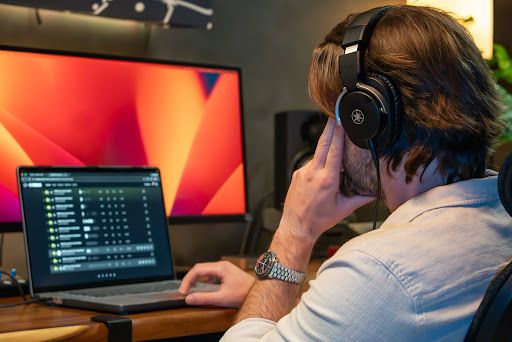
Making beats starts with combining rhythm, bass, melody, sounds, and arrangement in a digital audio workstation (DAW). You can start with a basic setup and build a beat by developing one musical idea, adding supporting elements, and shaping the arrangement.
If you are new to beat making, the process can seem complicated at first. This guide explains how to make beats step by step, from choosing a tempo to turning a simple loop into a complete arrangement.
What Do You Need to Make Beats?
For a basic software-based beat-making setup, you need a computer or compatible device, beat-making software such as a DAW, and headphones or speakers. You can also make beats with standalone hardware, so a DAW is not strictly required. Here is what each part does:
- Computer or device: This is where you run your DAW and create your project.
- DAW: A digital audio workstation gives you the tools to program drums, record sounds, arrange musical parts, and shape your beat.
- Headphones or speakers: You need a way to hear your beat while creating and balancing it.
- MIDI controller: An optional controller lets you play and program virtual instruments in a more hands-on way.
- Samples and loops: These optional audio elements can give you ready-made sounds and musical ideas to work with.
You can start with a basic setup. The important part is learning how the different elements of a beat work together rather than collecting more equipment.
What Makes a Good Beat?
A good beat has a clear rhythm, purposeful repetition, useful variation, and balance between its elements. Adding more sounds does not automatically make a beat better.
Rhythm gives a beat its groove. Repetition makes it familiar and easy to follow. Variation keeps it interesting, and balance keeps every sound in its place.
Every sound in a beat should serve a purpose. A kick drum, a bassline, a chord, a hi-hat pattern: each one should add something, whether that's energy, groove, or space for other elements to breathe.
When you add a new sound, ask what it's actually doing for the beat. If it's not adding rhythm, melody, texture, or movement to the track, it does not belong there.
How to Make Beats: Step-by-Step
There is no single formula for how to make a beat. A beat can begin with drums, bass, melody, chords, a sample, or another musical idea.
The following workflow gives beginners a practical starting point. As you gain experience, you can change the order or develop your own process.
1. Choose a Style and Set the Tempo
Start by deciding what kind of beat you want to create and set a tempo or BPM that fits the intended style and mood.
The style you choose can influence the rhythm, sounds, and arrangement. For example, a hip-hop beat may emphasize a strong groove, while a trap beat may use a different drum pattern and tempo.
You do not need to choose every sound at this stage. Start with the overall direction and tempo so the rest of the beat has a clear foundation.
2. Create a Simple Loop or Foundation
Start with a manageable idea. Your foundation could be a drum pattern, bassline, chord progression, or melody. The goal is to establish one strong musical idea before adding layers. Keeping the first loop simple gives you room to hear what the beat actually needs.
Once the foundation works on its own, begin adding elements that support it rather than changing everything at once.
3. Build the Rhythm With Drums
If you haven't started with drums already, this is where rhythm takes shape. The core elements are your kick, snare or clap, and hi-hats, with optional percussion layered in for extra texture.
Where you place these elements establishes the beat's groove and helps define its genre. A kick and snare pattern alone can sound completely different depending on tempo and placement, even using the same sounds.
Start simple with a basic pattern, then add variation only where it genuinely improves the rhythm. Small changes, like a shifted hi-hat or an extra kick hit, can add groove without overcomplicating things.
4. Add Bass and Musical Elements
With rhythm in place, bring in bass, chords, and melody as one focused section of your beat. Each plays a different role: bass anchors the low end and reinforces the rhythm, chords set the harmonic mood, and melody adds a memorable line on top.
These elements need to work together, both harmonically and rhythmically. Your bassline should generally follow your chord progression, and your melody should complement both rather than compete with them.
You don't need deep music theory knowledge to do this. Listening carefully and adjusting notes until they sound right together is often enough at this stage.
5. Add Samples and Additional Sounds Selectively
Samples and loops can add texture and introduce new sounds to your beat. Use them selectively so they complement the existing musical idea.
It can be tempting to keep adding sounds whenever the beat feels empty. Instead, listen for what is actually missing and choose an element that fills that role.
Effects can also shape individual sounds. Keep their use practical at this stage and focus first on choosing sounds that already work well in the beat.
6. Turn the Loop Into a Full Arrangement
A loop becomes a full beat when you introduce, remove, and change elements over time. Start by deciding how the main idea can develop across sections such as an intro, verse, hook, or chorus, and an outro.
You do not need to create a completely different musical idea for every section. Small changes can create movement. For example, you might remove some drums during an intro, bring additional elements into the hook, or simplify the arrangement during a verse.
If the beat is intended for vocals, leave enough space for the vocal performance. The instrumental should support the song rather than compete with the main vocal.
7. Balance and Finish the Beat
Finish your beat by balancing the levels of the different elements, avoiding clipping, and checking how the bass and drums work together. Listen on your headphones or speakers and make adjustments where necessary.
Pay attention to the relationship between the loudest and quietest elements. If one sound consistently dominates the beat, adjust its level or consider whether it needs to be part of the arrangement.
EQ (Equalizer) and other effects can be useful for shaping sounds, but they should serve a clear purpose. Mixing balances and shapes the individual elements of a track. Mastering is the final polish on the finished mix.
Beginner Tips for Making Better Beats
Improving at beat making comes from listening, experimenting, and finishing projects. Alongside the workflow above, a few habits can make your practice more productive.
- Study songs critically: Listen to how professional tracks introduce, remove, and change elements.
- Use reference tracks: Compare your beat with a track that has a similar style or mood.
- Try different starting points: Start one beat with drums and another with a melody, bassline, chord progression, or sample.
- Save different versions: Keeping earlier versions lets you experiment without losing previous ideas.
- Finish your beats: Completing a beat teaches you about arrangement and balance in ways that endlessly tweaking a loop cannot.
The more beats you finish, the easier it becomes to recognize which ideas are worth developing and which ones need another approach.
Ready to Take Your Beat-Making Further?
Turn your ideas into finished tracks with Yamaha Creator Pass. Starter provides an accessible entry point for creating music, while Growth and Pro add tools for production, mastering, distribution, and promotion. Start a 7-day free trial on the plan that fits your workflow.
FAQs
Can you make beats without music theory?
Yes. You can start making beats without knowing advanced music theory. Learning basic rhythm, chords, scales, and musical structure over time can give you more ways to develop and refine your ideas.
Can you make beats with just a laptop?
Yes. A laptop and a DAW can be enough to start making beats. You can program drums, create musical parts, arrange sections, and balance your project without a separate MIDI keyboard.
How long does it take to make a beat?
The time varies depending on the complexity of the beat and your experience. A simple loop can come together quickly, while developing a full arrangement and balancing the final beat can take longer.
Do you need a MIDI keyboard?
No. A MIDI keyboard is optional. You can create beats using the tools built into your DAW, then add a MIDI controller later if you want a more hands-on way to play and program musical parts.
How do I know when a beat is finished?
A beat is ready to finish when its main elements work together, the arrangement feels complete, and further changes are no longer adding meaningful value. Take a break and listen again before making final adjustments.
How can I develop my own sound as a beat maker?
Develop your own sound by making beats regularly, experimenting with different starting points, and studying the music you enjoy. Over time, your choices in rhythm, sounds, arrangement, and musical ideas can become more distinctive.
How do I use a reference track when making a beat?
Play a reference track alongside your own beat at similar volume levels and compare specific elements, like how loud the drums sit or how much low end the bass has. Use it as a guide for decisions, not a template to copy exactly.
How often should I practice making beats to improve?
Regular practice is more useful than waiting for inspiration. Set aside consistent time to create, experiment, and finish beats so you can learn from both successful ideas and unfinished ones.
What should I do if my beat sounds good as a loop but not as a full song?
Look for opportunities to introduce, remove, or change elements as the arrangement develops. A loop may work because of its repetition, while a full song needs variation and space to maintain interest.