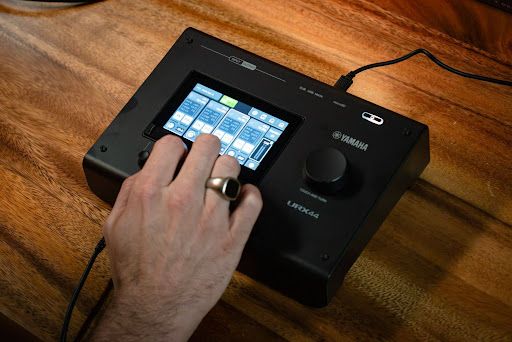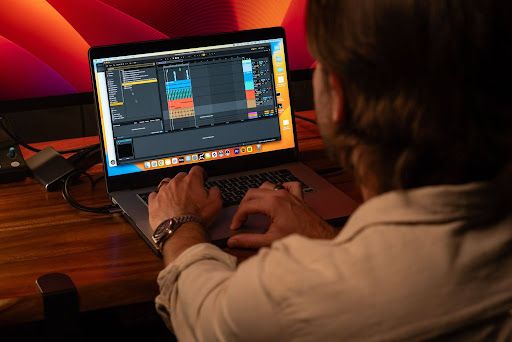
A MIDI keyboard is a physical controller that sends information about which notes you play, when you press and release them, and how quickly you press the keys to compatible software or hardware. A dedicated controller usually relies on another device to generate sound, keeping the performance information separate from the resulting audio.
This guide covers how MIDI keyboards work, what you can do with them, key features, keyboard sizes, and DAW setup.
What Is a MIDI Keyboard?
MIDI stands for Musical Instrument Digital Interface. It's a technical standard that lets musical instruments, computers, and other music devices exchange performance and control information.
A MIDI keyboard is a controller built around that standard. It's designed to translate keystrokes into MIDI messages, along with wheel movements, knob turns, and button presses, so other devices and software can understand them.
How Does a MIDI Keyboard Work?
The basic signal flow is:
Press a key → MIDI data is generated → your DAW or hardware receives the data → an instrument interprets it → sound is producedA MIDI Keyboard Sends Data, Not Audio
A MIDI keyboard sends data, not audio, as it converts your playing and control movements into MIDI messages. When you use a MIDI keyboard, your actions can communicate information such as:
- Which note was pressed or released
- When the note started and ended
- How quickly the key was initially pressed, represented by velocity
- Pitch-bend or modulation movements
- Pressure applied after the initial key press, when aftertouch is supported
When you press a key, the keyboard sends a Note On message, and when you release it, a Note Off message. The Note On message also carries velocity, which represents how quickly the key was pressed. MIDI also provides 16 separate channels, so several instruments can be controlled independently, and most values are sent on a scale from 0 to 127.
Your Software or Hardware Produces the Sound
Your software or hardware produces the sound by interpreting the MIDI data sent by the keyboard. A virtual instrument inside a DAW can generate the sound, while a hardware synthesizer or sound module can do the same without software. MIDI itself is not audio.
The resulting audio can then be heard through:
- The computer’s audio output
- An audio interface
- The hardware instrument’s audio outputs
- Headphones or speakers connected to the sound-producing device
USB, MIDI, and Other Connections
A MIDI keyboard can connect to other devices through USB MIDI, 5-pin DIN MIDI, TRS MIDI, or BLE-MIDI.
For instance:
- USB MIDI: The most common connection for computers and tablets. Many USB MIDI keyboards are class-compliant, meaning they work without installing a driver, and many draw power over the same cable.
- 5-pin DIN MIDI: The traditional round MIDI IN and MIDI OUT ports, mainly used to connect hardware synthesizers, drum machines, and sound modules.
- TRS MIDI: A smaller 3.5mm connector used on compact gear. TRS wiring isn't identical across every brand, so you may need a cable that matches your device's type (usually labeled Type A or Type B).
- BLE-MIDI: Sends MIDI over Bluetooth Low Energy between supported devices, which is handy for tablets and cable-free setups.
What Can You Do With a MIDI Keyboard?
A MIDI keyboard can play software and hardware instruments, record and edit musical parts, program drums, and control DAW and instrument functions by hand.
Play Virtual Instruments
You can play virtual instruments with a MIDI keyboard by using its keys to control compatible software instruments. Load a virtual piano, synthesizer, organ, bass, orchestral instrument, or drum instrument and use the keyboard to perform its sounds in real time.
Create Melodies, Chords, and Basslines
You can create melodies, chords, and basslines with a MIDI keyboard by playing them directly into music software.
When you record musical performances as MIDI, the notes remain editable. You can:
- Edit notes inside a piano roll, a grid-based MIDI editor that displays notes by pitch and position in time
- Change note timing and duration
- Adjust individual velocities
- Transpose a passage
- Move, add, or remove notes
Program Drums and Percussion
You can program drums and percussion with a MIDI keyboard by using its keys or pads to trigger individual drum sounds and samples. Different keys may correspond to kicks, snares, hi-hats, toms, cymbals, or other percussion sounds.
Control Effects and DAW Functions
You can control effects and DAW functions with the knobs, faders, pads, and buttons available on some MIDI keyboards. Some of these are:
- Track volume and panning
- Filter cutoff and resonance
- Reverb or delay levels
- Play, stop, and record
- Mute and solo
- Sample or preset triggering
MIDI Keyboard vs. Digital Piano vs. Computer Keyboard
A MIDI keyboard, digital piano, and computer keyboard can all interact with music software, but they are designed for different purposes.
| Feature | MIDI Keyboard | Digital Piano | Computer Keyboard |
|---|---|---|---|
| Built-in sounds | Usually no | Yes | No |
| Designed for playing music | Yes | Yes | No |
| Key size and feel | Mini or full-size, varied feel | Often full-size, weighted | Typing keys |
| Connects to a DAW | Yes | Many models can | Software-dependent |
| Velocity-sensitive musical input | Often | Usually | Typically no |
| Portable | Depends on size | Varies | Usually high |
A MIDI keyboard is one type of MIDI controller: the kind built around a piano-style keyboard. Other MIDI controllers include pad controllers and control surfaces with only knobs and faders.
Some digital pianos can also act as MIDI controllers when connected to a computer or mobile device. Compatible digital pianos can work as both a controller and a sound source with music-creation applications.
A computer keyboard can also enter MIDI notes in some DAWs, although it is more limited for musical performance. Ableton Live, for example, can map computer keys to MIDI notes and lets users adjust octave range and note velocity from the typing keyboard.
What Do You Need to Use a MIDI Keyboard?
To use a MIDI keyboard, you need a compatible sound source. For software-based setups, a computer or tablet usually hosts the DAW or virtual instrument, while hardware synthesizers can work without one.
A typical setup can include:
- MIDI keyboard: Choose the key count, key action, and controls based on how you want to play.
- Computer or tablet: Needed for DAWs, virtual instruments, and other music software.
- DAW or music software: Lets you route, record, and edit MIDI. Standalone virtual instruments can also receive MIDI.
- Virtual instrument or hardware sound source: Generates the piano, synth, bass, drum, or other sound.
- Headphones or speakers: Let you hear the audio from the computer or hardware sound source.
- Audio interface, if needed: Adds dedicated audio inputs and outputs for recording, headphones, speakers, and monitoring.
Key Features to Look for in a MIDI Keyboard
Key features to look for in a MIDI keyboard include key count, key action, velocity sensitivity, pads and controls, pitch and modulation controls, and aftertouch. Some of these include:
- Velocity-sensitive keys: Capture differences in how quickly keys are initially pressed, so a MIDI parameter can change with your playing.
- Weighted, semi-weighted, or synth-style action: Affects physical feel rather than the MIDI protocol itself.
- Weighted or hammer-style action can provide a more piano-oriented response.
- Semi-weighted action adds some resistance while remaining lighter.
- Synth-style action generally provides a lighter response for keyboard and synthesizer playing.
- Pads, knobs, faders, and buttons: Can provide direct access to drum sounds, samples, mixer levels, effects, instrument settings, and transport functions when supported and mapped.
- Pitch-bend and modulation controls: Add real-time expression. Pitch bend continuously changes pitch, while modulation can affect vibrato, filter movement, or another supported assignment.
- Aftertouch: Detects pressure applied after the initial key press. Depending on the controller and receiving instrument, it can affect vibrato, filters, volume, or other parameters.
How Many Keys Should a MIDI Keyboard Have?
MIDI keyboards come in a range of sizes. The most common are 25, 32, 37, 49, 61, and 88 keys, and the right one depends on the playing range, space, and portability you need. Controllers may also use mini keys or full-size keys, so key size matters alongside key count.
For instance:
- 25 keys (2 octaves): The most portable option. Good for beats, basslines, and simple one-handed melodies.
- 32 keys (about 2.5 octaves): Gives slightly more range while remaining compact.
- 37 keys (3 octaves): Enough room for broader melodies and some two-handed playing in a compact size.
- 49 keys (4 octaves): A balanced option for producers who want more room for chords and two-handed parts without a larger keyboard.
- 61 keys (5 octaves): Comfortable for two-handed playing and fuller keyboard parts.
- 88 keys (7+ octaves): The full range of an acoustic piano. Best for piano-focused playing and classical repertoire.
How to Use a MIDI Keyboard With a DAW
You can use a MIDI keyboard with a DAW by connecting the controller, selecting it as a MIDI input, loading a virtual instrument, and then playing or recording.
A typical setup follows these steps:
- Connect the keyboard. Use USB MIDI or another connection supported by the controller and computer. Install manufacturer-recommended drivers when required.
- Open the DAW. Confirm that the connected MIDI device is recognized.
- Enable the keyboard. Confirm that the controller is available in the DAW’s MIDI or device settings.
- Create a MIDI or instrument track. Track terminology and routing can differ between DAWs.
- Select the track’s MIDI input. Choose the keyboard or appropriate MIDI input for the track.
- Load and test a virtual instrument. Choose an instrument, play several keys, and confirm that it produces audio.
- Record the performance. The resulting MIDI notes can then be edited according to the project.
What Are the Advantages and Limitations of a MIDI Keyboard?
The advantages of a MIDI keyboard include editable performances, sound flexibility, and hands-on control, while its limitations include dependence on a sound source, setup requirements, and possible latency.
Advantages
Key advantages include:
- A wide range of sounds: One keyboard can play pianos, synths, strings, drums, or any other virtual instrument you load, since the sound comes from the software or hardware receiving the MIDI. A part recorded with one instrument can also be switched to another at any point.
- Editable performances: Because you record notes rather than audio, you can fix timing, change individual notes, adjust velocity, or transpose a part after recording, without playing it again.
- Expressive control: Velocity-sensitive keys, pitch bend, modulation wheels, and aftertouch on supported models let you add dynamics and movement, which are captured along with the notes.
- Works with software and hardware: A MIDI keyboard can connect to a computer, a tablet, or MIDI-compatible hardware such as synthesizers and sound modules, so the same keyboard can fit into different setups.
Limitations
Practical limitations include:
- External sound source: Dedicated controllers generally require compatible software or hardware to produce audio.
- Playing range: Smaller keyboards require more octave switching.
- Different key actions: Playing feel varies considerably between models.
- Configuration: Drivers, MIDI mappings, or software-specific setup may be required.
- Latency: A delay between a key press and the sound can come from two places. On the audio side, it depends on your buffer size and audio settings. On the MIDI side, for example, a 5-pin DIN connection sends notes one after another, so a large chord can arrive slightly late.
Explore the Passes
Ready to put your MIDI keyboard to work? Yamaha Creator Growth and Pro Pass include Cubase 15 AI on monthly and annual billing, with Ableton Live 12 Lite added on annual plans. You also get Output Arcade, with 80,000 samples, and LANDR's library of more than 3 million loops and one-shots. Explore the Passes to find the plan that fits your workflow.
FAQs
Does a MIDI keyboard make sound?
No, a dedicated MIDI keyboard usually does not make sound by itself. It sends MIDI information to software or hardware, which generates the audio. MIDI itself carries musical instructions rather than audio.
Can you use a MIDI keyboard without a computer?
You can use a MIDI keyboard without a computer by connecting it to compatible hardware such as a synthesizer, sampler, or sound module. The receiving device needs to accept MIDI and provide the sound.
Is a MIDI keyboard the same as a piano?
No, a MIDI keyboard is not the same as a piano. A dedicated MIDI controller primarily sends control information, while a piano produces its own sound. Some digital pianos can also transmit MIDI and function as keyboard controllers.
Can you use a MIDI keyboard with any DAW?
You can use a MIDI keyboard with most major DAWs, but the level of integration can vary. Controller mappings, drivers, operating-system support, and advanced functions depend on the keyboard and software.
Can beginners use a MIDI keyboard?
Beginners can use a MIDI keyboard to play and record notes, chords, basslines, drums, and other musical parts in production software. The most suitable size and controls depend on what they want to create.
Do MIDI keyboards need speakers?
MIDI keyboards do not usually need speakers themselves because dedicated controllers do not generate the audio. Speakers or headphones are instead connected to the computer, audio interface, synthesizer, or other device producing the sound.
Can a MIDI keyboard play virtual instruments?
A MIDI keyboard can play virtual instruments by sending MIDI notes and performance information to compatible software. The virtual instrument then uses that information to produce its sound.
How many keys should a MIDI keyboard have?
MIDI keyboards come in a range of sizes, and the most common are 25, 32, 37, 49, 61, and 88 keys. The right size depends on the playing range, space, and portability you need. Smaller controllers suit compact setups, while larger keyboards provide more room for two-handed playing.