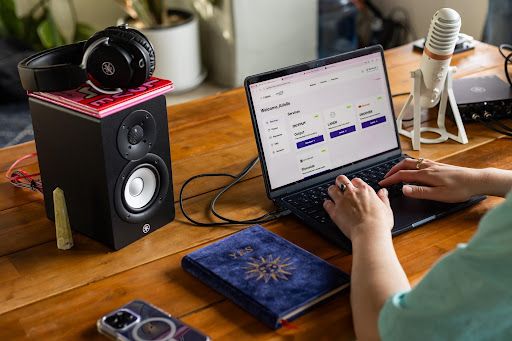
Independent artists need a digital music distributor to upload music to Spotify. The distributor delivers the mastered audio, cover artwork, and release information to Spotify, making the music available to listeners on the scheduled release date. Once the music is delivered, artists can use Spotify for Artists to manage their profiles, pitch unreleased songs, and track performance.
This article covers the whole process of uploading music to Spotify using a distributor, including how to prepare release files, choose a distributor, and promote your music.
Can You Upload Music Directly to Spotify?
No. Spotify doesn't accept uploads from artists. It closed its direct-upload beta in 2019, and its help center tells artists to work with a distributor. Independent artists choose their own distributor, and signed artists release through their label.
A music distributor handles the delivery process, including audio files, artwork, metadata, and release dates. It also collects recording royalties and pays artists based on its terms.
Spotify for Artists is a separate, free tool. Once a distributor has delivered your music, you use it to manage your artist profile, pitch unreleased songs, and see who's listening.
What Do You Need Before Uploading Music to Spotify?
Before uploading, prepare your final mastered audio, cover artwork, song metadata, and the necessary distribution rights. These files and details must meet your distributor's requirements and Spotify's delivery standards.
Audio File Requirements
Export your final master as a FLAC or WAV file. Spotify strongly prefers FLAC and accepts WAV that meets the same technical requirements. Both are lossless, so neither lowers the quality of your master.
Spotify's audio requirements include:
- Audio format: FLAC is preferred. WAV is accepted when it meets Spotify's PCM requirements.
- Sample rate: 44.1 kHz or higher.
- Bit depth: 24-bit if that's your master's native bit depth. Use 16-bit only if no higher-bit-depth master exists.
- Channels: Stereo audio with two channels.
- Delivery: One complete stereo master per track.
For example, if your song was mastered at 48 kHz and 24-bit, deliver it at that resolution rather than converting it. Your distributor may accept different formats, so check its upload requirements before you export.
Spotify Cover Artwork Requirements
Create one high-resolution square cover image, and your distributor resizes it for each store. It must also use images and other visual elements you have permission to distribute.
Spotify's cover art requirements specify:
- Dimensions: Square, between 640 × 640 and 10,000 × 10,000 pixels.
- File formats: JPG, PNG, or TIFF.
- Color space: sRGB, with 24 bits per pixel.
Avoid unlicensed images, misleading information, promotional text, and other elements that violate Spotify's or your distributor's artwork guidelines.
Song Metadata and Release Information
Song metadata identifies your music and determines how the release appears on Spotify. Accurate information helps prevent incorrect credits, duplicate artist profiles, and distribution delays.
Prepare this release metadata before you upload:
- Artist name and track title: Use consistent spelling and formatting across releases.
- Featured artists and contributors: Identify performers, songwriters, composers, and producers in their respective fields.
- Genre and language: Select the relevant classifications provided by your distributor.
- Explicit-content label: Identify tracks containing explicit material.
- Release date and territories: Specify when and where the recording will become available.
- ISRC (International Standard Recording Code): Identifies an individual sound recording. Distributors can often generate one for a new recording. Previously released recordings generally retain their original ISRC unless the recording has been materially changed.
- UPC (Universal Product Code): Identifies a music release, such as a single, EP, or album. Distributors can often generate a UPC when creating a new release.
How to Choose a Music Distributor for Spotify
Choose a distributor based on its pricing, royalty policies, supported platforms, release management tools, and additional services.
Common pricing models include:
| Pricing model | How it works |
|---|---|
| Subscription | Pay a recurring fee for access to distribution services. |
| Per-release fee | Pay separately for each release. |
| Revenue sharing | The distributor retains an agreed percentage of earnings. |
| Bundled subscription | Distribution comes with mastering, production, or promotion tools |
Spotify pays recording royalties to your distributor or label, which pays you under its agreement. Some distributors pass on 100% of those royalties, while others keep a commission.
Since April 2024, a track needs at least 1,000 streams in the previous 12 months to earn recording royalties on Spotify. Songwriting royalties are paid separately, through publishers and collecting societies.
Beyond pricing and royalties, consider:
- Distribution coverage: Whether the service delivers music to Spotify and other major streaming platforms.
- Release management: Support for scheduled releases, metadata corrections, and artist-profile matching.
- Reporting and payments: Access to royalty statements, earnings information, and payout options.
- Additional features: Availability of mastering, promotion, analytics, and royalty-splitting tools.
- Cancellation terms: Whether your music stays live if you stop paying. DistroKid, for example, removes releases when membership lapses unless you've added its Leave a Legacy extra.
How to Upload Music to Spotify
To upload a song to Spotify, create a distributor account, start a release, upload the required files, enter your metadata, configure distribution settings, and submit everything for review.
Step 1: Create an Account With a Music Distributor
Start by registering with a distributor that supports Spotify delivery. Select a plan based on your release frequency, budget, and required services.
After registration, complete your account information and any payment or tax details required for royalty collection.
Your distributor will provide a dashboard where you can create releases, monitor delivery, and review earnings once your music is available.
Step 2: Start a New Music Release
Once your account is active, open the distribution dashboard and select the option to create a new release.
Choose whether you're releasing a single, EP, or album, then enter the release title and add the tracks in their intended order.
The distinction is important because streaming platforms classify releases based on their track count and duration. The final classification may differ from the category selected in your distributor.
Step 3: Upload Your Audio and Cover Artwork
With your release created, upload the final mastered audio and cover artwork.
Select the correct audio file for each track. Check that it contains the intended mix and mastering version, with no unintended silence, missing sections, or clipping.
Next, upload the square cover image. The distributor may automatically check its dimensions and file type.
Complete these checks before proceeding, since replacing audio or artwork after submission can require another review.
Step 4: Enter Your Artist and Song Details
After adding the files, complete the metadata fields that identify your release on Spotify.
Enter the track titles, primary and featured artists, songwriting credits, genre, language, and explicit-content information. Include existing recording identifiers where applicable.
If you already have a Spotify artist profile, select or link the correct profile in the distributor's interface. This helps Spotify associate the new recording with your existing catalog instead of creating an incorrect artist listing.
Step 5: Select Spotify and Set Your Release Date
Once the metadata is complete, confirm that Spotify is among the selected distribution destinations. Some distributors include all supported stores automatically, while others allow individual selection.
Next, select your release date and the territories where the music will be available.
Leave sufficient time for distributor review, Spotify processing, and any planned promotion. Spotify requires delivery at least seven days before release for advance playlist pitching and first-week Release Radar eligibility. A longer buffer provides additional time for corrections.
Step 6: Review Your Submission and Confirm Distribution
Once you've selected your distribution destinations and release date, review the complete submission before sending it for approval.
Check that the audio, artwork, song titles, artist credits, release date, and distribution territories are correct. After submission, your distributor reviews the release and delivers the approved files to Spotify.
You can monitor the delivery status through your distributor's dashboard. Once the song goes live, open Spotify and verify:
- Audio: The correct song and version are available for playback.
- Artwork and metadata: The cover image, track titles, and credits appear correctly.
- Artist profile: The release appears under the intended artist.
- Availability: The release plays in the territories you selected.
What Happens After You Submit Music to Spotify?
After submission, your distributor reviews the release and delivers the approved files and metadata to Spotify. Spotify then processes the music before making it available on the scheduled release date. Processing times vary because distributor review and Spotify delivery are separate stages.
Spotify requires approximately five business days to get newly delivered music live. Upcoming releases can also take around 48 hours to appear in Spotify for Artists after delivery.
Once the upcoming release appears, artists with profile access can prepare their profiles and submit eligible songs for playlist consideration.
How to Claim and Customize Your Spotify for Artists Profile
You can claim your Spotify artist profile after your music has been delivered, either before or after your first release becomes publicly available.
The process depends on your release status:
- Before your first release: Ask your distributor for your Spotify artist link or URI. Contact Spotify with that identifier and the UPC or EAN of your upcoming release to request access.
- After your music goes live: Go to artists.spotify.com, select Get access, and find your profile. Add a link to your website or social channels to verify your identity. Spotify reviews requests manually, which can take a few days. If your distributor is a Spotify preferred provider, access is granted automatically.
- If your profile is already claimed: Request an invitation from the existing artist team's administrator.
Once verified, customize your profile with a biography, artist images, and social media links. Spotify's image requirements specify minimum dimensions of 750 × 750 pixels for avatars and 2660 × 1140 pixels for header images.
Use Artist Pick to pin a release, playlist, concert, or merch to the top of your profile. A Pick stays up for 180 days unless you change it.
How to Pitch Your Unreleased Music to Spotify Playlists
Spotify for Artists allows eligible artists to pitch unreleased songs to Spotify's editorial playlist team.
Open Music → Upcoming, select a song, and complete the pitch form. Fill in as much as you can, including genre, mood, and culture tags, since more detail improves your chances.
Spotify's playlist pitching requirements include:
- Advance submission: Pitch at least seven days before release for the selected song to reach followers' Release Radar.
- Pitch limit: Only one unreleased song can be pitched at a time.
- Eligibility: You cannot pitch compilations or songs where you are credited only as a featured artist.
Editorial placement is not guaranteed. Once a song goes live, it is no longer eligible for advance editorial pitching.
How to Promote Your Spotify Release
A Music promotion can begin before release day and continue after the song becomes available. Pre-release activities help build awareness, while post-release promotion encourages listeners to stream, save, and share the music.
Share Your Spotify Release on Social Media
To Promote your release through social media, email, and streaming links to reach potential listeners.
Common approaches include:
- Pre-save campaigns: Build interest before launch using eligible pre-save tools. Spotify's Countdown Pages support pre-saves for qualifying album and EP releases, but not singles. On average, over 60% of listeners who pre-save an album stream it during its first week.
- Short-form videos: Share song excerpts, performances, or behind-the-scenes clips to introduce your music.
- Email newsletters: Notify subscribers when your song becomes available and provide a direct streaming link.
- Streaming links: Share the Spotify track or album URL across social profiles and promotional content.
Track Your Music Performance With Spotify for Artists
Spotify for Artists provides data on how listeners discover, stream, and engage with your music. These insights can help evaluate promotional activities and plan future releases.
Important performance metrics include:
- Streams: Plays counted after at least 30 seconds of listening.
- Monthly listeners: Unique listeners who streamed your music within the previous 28 days.
- Saves and playlist additions: Listener actions that indicate interest in hearing your music again.
- Stream sources: Show whether streams come from artist profiles, listeners' libraries, playlists, or Spotify recommendations.
- Audience insights: Provide available geographic and demographic information about listeners.
- Release engagement: The percentage of your monthly active listeners (counted the day before release) who streamed the new release in its first 28 days.
How Yamaha Creator Pass Helps You Master, Distribute, and Promote Music
Yamaha Creator Pass combines tools for preparing and releasing music through eligible subscriptions. The Growth Pass ($19.99/month) and Pro Pass ($39.99/month) include LANDR mastering and distribution to Spotify and other streaming services.
Growth provides four Groover credits for pitching music to curators, playlists, media, and labels, while Pro provides ten.
Both offer a seven-day free trial. LANDR Unlimited Distribution and Groover credits become available only after the paid subscription starts.
Start a 7-day free trial to explore Yamaha Creator Pass. Choose the plan that fits your needs and get the tools to prepare, distribute, and promote your next release.
Frequently Asked Questions
Can I upload music to Spotify for free?
Yes. Free distributors such as RouteNote Free charge no upfront fee and keep a share of your earnings instead (15% on RouteNote Free). Check the revenue share and which features are included before you upload.
Can I upload music to Spotify without a distributor?
No. Spotify does not accept direct audio uploads from independent artists through its listener app or Spotify for Artists. A music distributor or record label must deliver the recording, artwork, metadata, and release instructions to Spotify.
How long does it take for a song to appear on Spotify?
Spotify needs 5 business days after delivery to get a song live, and distributor review adds more time. Upload at least 3–4 weeks before your release date to pitch to Spotify's editors.
Can independent artists upload music to Spotify?
Yes. Independent artists can release original music on Spotify without signing a record deal. A digital distributor handles delivery and recording royalties, while the artist can manage their public profile and review listener data through Spotify for Artists.
How much does it cost to release a song on Spotify?
Spotify doesn't charge to release music. You pay your distributor instead. That ranges from free with a revenue share (RouteNote Free keeps 15%) to $24.99 a year for unlimited releases with DistroKid's Musician plan, or $9.99 per single with CD Baby.
Do I need Spotify for Artists to upload music?
No. Your distributor delivers the music. Spotify for Artists is optional, but you need it to pitch a song to Spotify's editors, update your profile, and see your listener data.
Can I upload a cover song to Spotify?
Yes, you can release your own recording of a song written by someone else, provided the necessary rights are covered. Licensing differs by country, distribution format, and service, so confirm the composition rights and your distributor's cover-song requirements first.
Can I upload music to Spotify from my phone?
Yes, when your distributor supports uploading releases through a mobile app or browser. Spotify's regular app and Spotify for Artists do not accept direct audio submissions, and certain distributors may require a computer for specific release-management tasks.